
Elite Elite ERP Customer login
Built in-house by Elite

See your job.Without chasing us.

Elite ERP is our own job management system. Insurers, builders and homeowners see where every job is up to, any time, from their phone. Behind the scenes, AI does the busywork so our team can focus on the job.

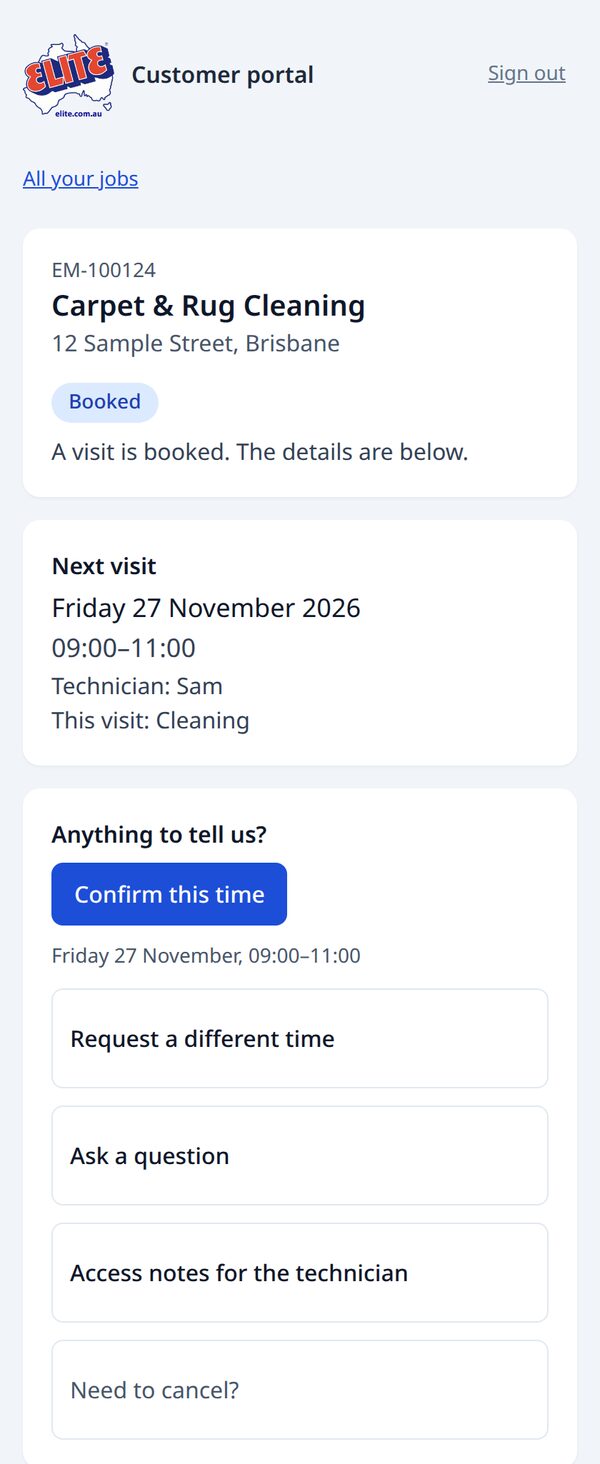
A job in the Elite customer portal: the next visit, the technician, and buttons to confirm the time, ask a question or cancel
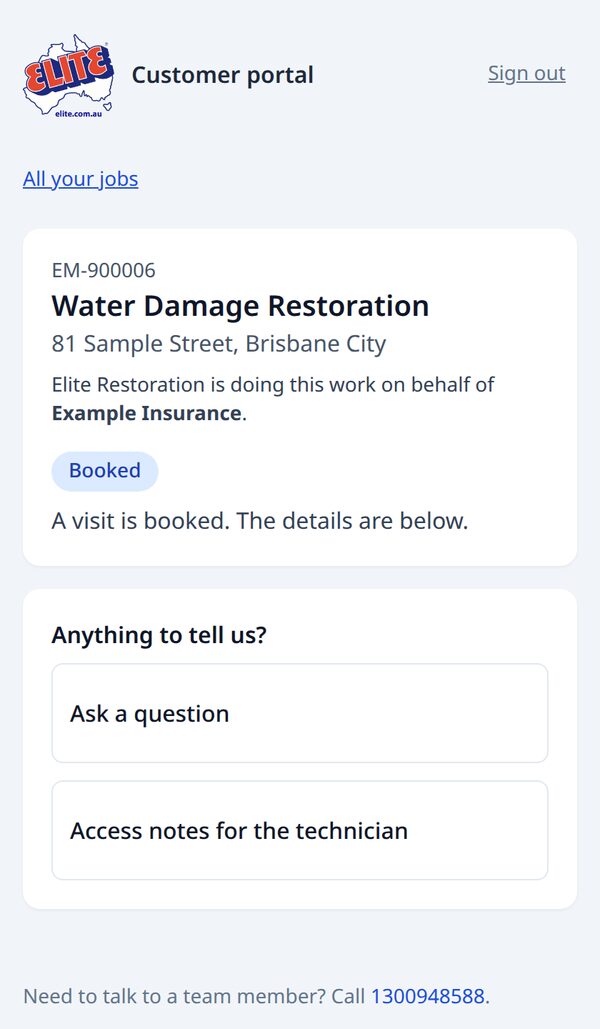
A water damage restoration job in the portal, done on behalf of an insurer
IICRC Certified Firm
  • IICRC Certified FirmS500, S520 and S700 certified
  • On site in 2 hoursOur target in metro areas
  • Scope in 24 hoursInitial report and a scope or quote
  • $20 million coverPublic and products liability
Watch

Elite ERP in 52 seconds.

  • 60insurers, builders and agents with their own login
  • 24/7job status online for every customer
  • 10,000+AI tasks every month
  • 60+finished jobs published as stories
For insurers and builders

Every job you send us. One place.

Your team gets its own login to our portal. No more emailing for an update, a scope, a report or an invoice.

  • All your jobsEvery job your company has sent us, open or recently closed. Search by your reference, PO, customer or address.
  • Approve the scope onlineRead the scope PDF and approve it on the job page.
  • Reports and invoicesDownload the job's reports, and get invoices with your order number on them.
  • Ask the assistantAsk "is this job waiting on us?" and get an answer straight away.
  • Access you can trustWe approve each login one person at a time, and check every login once a year.
A water damage restoration job in the portal, done on behalf of an insurer

A restoration job, as the insurer sees it. Sample job and address.

For homeowners

Know who is coming, and when.

Log in with your email or mobile. We send you a code, so there is no password to remember.

  • Track your jobSee your bookings and where your job is up to.
  • Confirm or change a timeConfirm a booking, or ask for a time that suits you better.
  • Pay onlineAccept a quote and pay an invoice by card.
  • Sign forms on your phoneSign your authority form online. No printing or scanning.
  • Tenants see only what they needA tenant sees the bookings, never the prices or invoices.
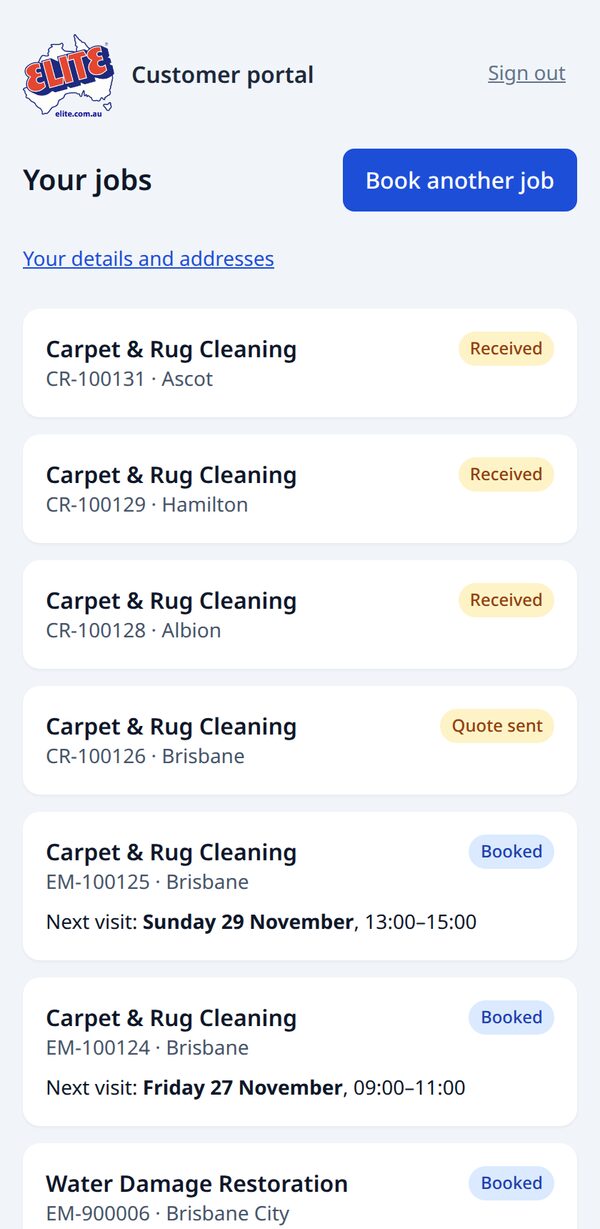
The list of a customer's jobs in the portal, each with its status
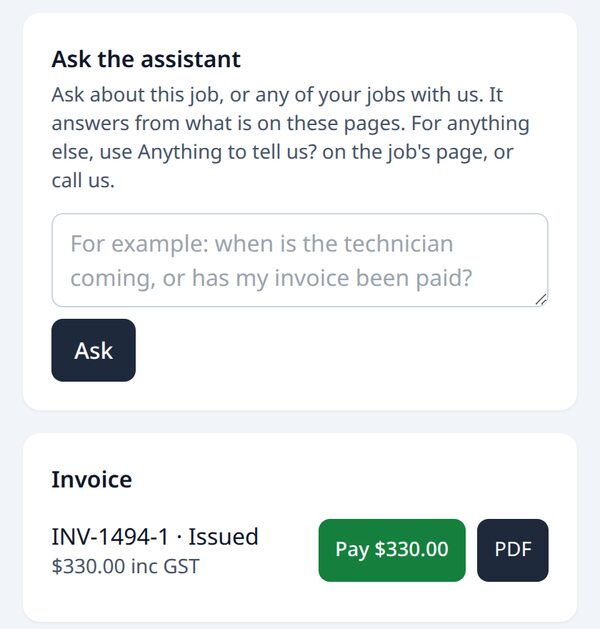
The portal assistant box and an invoice with a Pay button

All your jobs, the assistant, and paying an invoice.

How a job moves

From the first email to paid.

Every step lands in Elite ERP as it happens, so you see the same picture our office does.

  1. Work order inAI reads the email and creates the job, with the details filled in.AI + staff check
  2. BookedThe customer confirms the time online, or asks for another.Customer portal
  3. On the wayThe technician marks when they set off to the job.Technician app
  4. On siteExtra work is quoted on the spot, and the invoice is raised before they leave.Technician app
  5. PaidPay by card on site or online. Remittances are matched to invoices.Portal + AI
AI inside Elite ERP

AI does the busywork. Our people make the calls.

Elite ERP uses AI to read, sort, summarise and check, more than 10,000 times a month. Quotes, published stories and decisions on a job are always approved by a person.

Our ruleAI drafts. A person decides.
Email triage

Every email read and sorted as it arrives.

AI reads each email that reaches our bookings inbox and sends it to the right place.

  • Work orders from insurers and builders become jobs.
  • Quote requests get a draft quote from our own price list, for staff to check.
  • Spam and wrong-business mail is moved aside, never deleted.
  • "Thanks" replies are closed, so nobody wastes time on them.
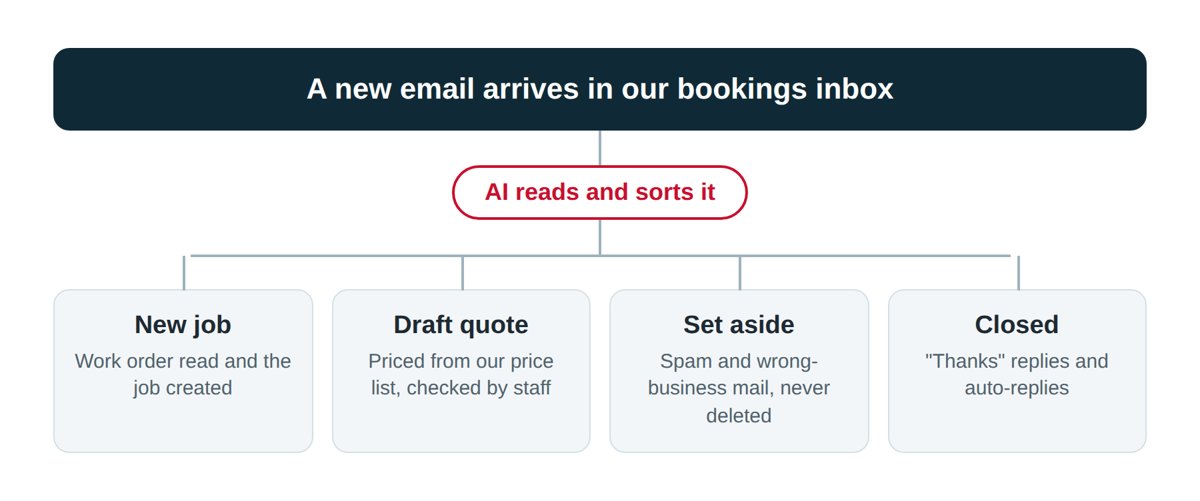
Diagram: a new email arrives in the bookings inbox, AI reads it and sorts it into a new job, a draft quote, set aside, or closed
Elite Knowledge Base

The IICRC standards, one question away.

Our knowledge base holds the industry standards we work to, including IICRC S500 for water damage, S520 for mould and S700 for fire and smoke.

Staff ask in plain English. The answer comes only from those documents, with a link to the page it quotes.

Ask the system

A chatbot that knows every job.

Our team asks: "Why is this job still waiting?", "Has anyone replied to the insurer?", "How many jobs are waiting to be booked?"

It looks up the answer, shows where it came from, and cannot change anything. A help button on every screen explains that screen step by step.

Job stories

Finished jobs become stories.

When a restoration job is done, AI picks the best photos, removes anything that could identify the customer, and drafts a short story.

After a person approves it, the story goes on our website, our Google Business listings and LinkedIn.

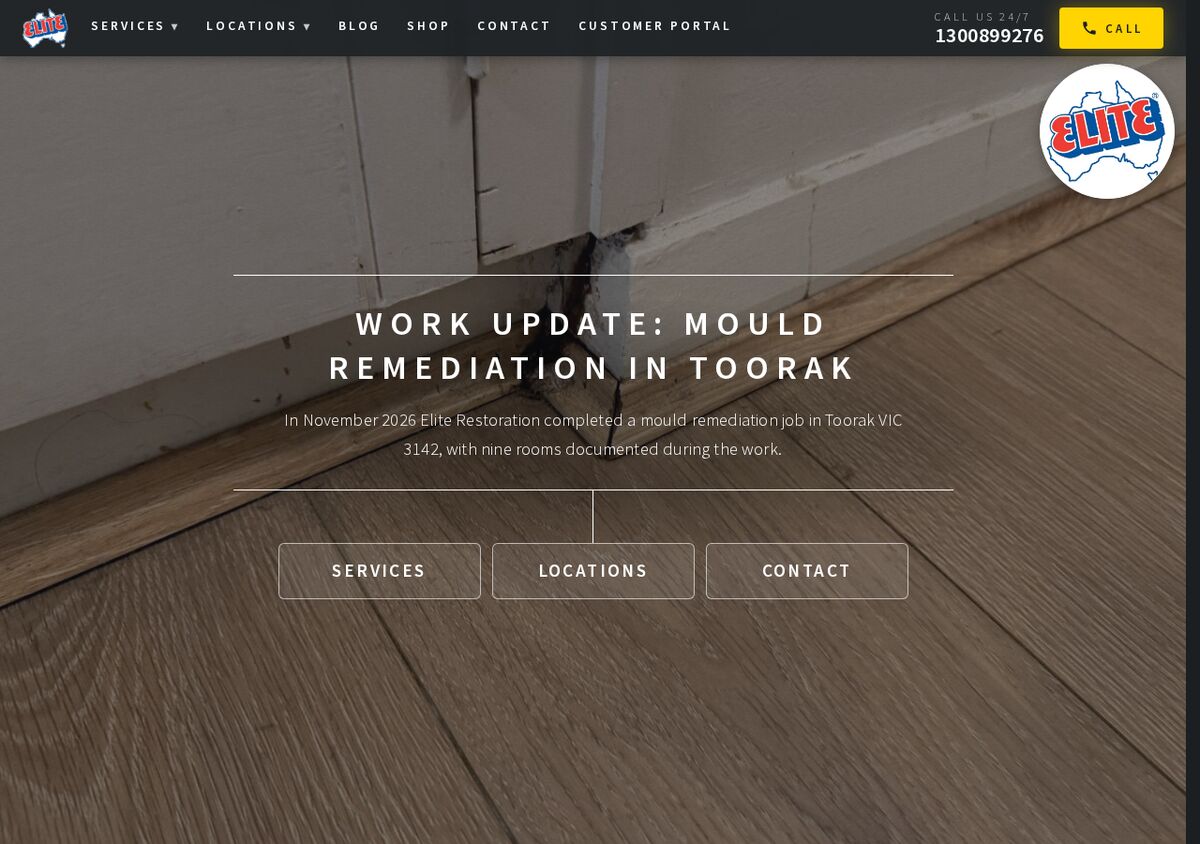
A published job story on the Elite Restoration website: mould remediation in Toorak
  • Every call summarisedCalls are transcribed, summarised and added to the job, with the next steps.
  • Customer assistantCustomers and insurers ask about their job in the portal and get an answer from what is on their page.
  • Website chatAnswers questions about our services and areas, and takes callback requests.
  • Billing checksDrying equipment is checked against every day it was on site. Staff confirm each one.
  • Scope approvals spottedWhen an insurer approves a scope by email, the system notices and asks staff to confirm.
  • Payments matchedRemittance advices are read and matched to the right invoices.
The work behind it

Restoration to IICRC standards.

  • Water Damage Restorationwith 24X7 Mitigation per IICRC S500 Standards
  • Mould Inspection and Remediationper IICRC S520 Standards
  • Fire and Smoke Damage Restorationper IICRC S700 Standards

Already working with us?

Log in with the email or mobile number on your job. Insurers and builders: ask us to set up a login for your team.

Customer portal elite.com.au/portal Log in to your job Need a team login? Call 1300899276